About InboxCabin
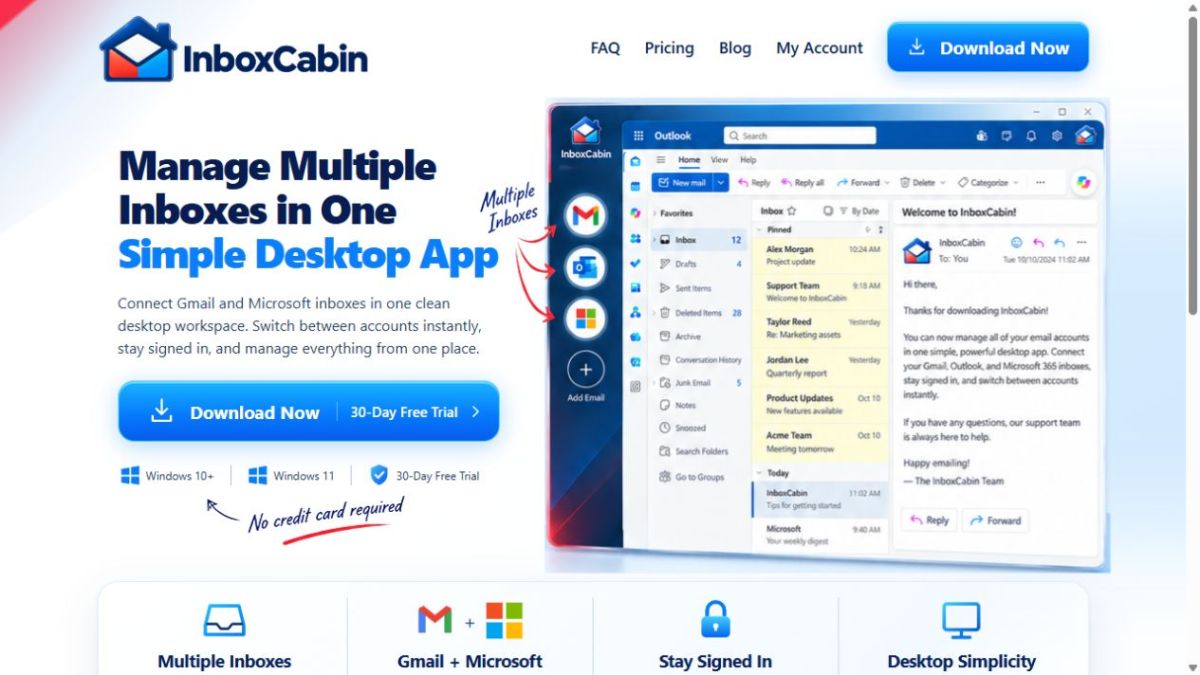
InboxCabin is a Windows desktop app for managing multiple Gmail and Microsoft email accounts. Keep accounts in separate sessions, switch from a sidebar, and use familiar email interfaces. A 30-day free trial is available.
Managing email for several roles can mean repeated sign-ins and an overcrowded browser. InboxCabin gives each Gmail or Microsoft account a separate session inside one Windows desktop workspace. A sidebar makes it easier to move between personal, business, and project inboxes while keeping each account distinct.
For a more focused routine, give every account a clear purpose and review them at planned times. Handle urgent replies first, move longer tasks into a task list, and finish by checking messages that need follow-up. InboxCabin provides the workspace for that routine; users continue working in their familiar provider interfaces.
InboxCabin is available for Windows and includes a 30-day trial, followed by annual or lifetime paid licensing. Visit the official website for current system requirements, features, and download information.
For a more focused routine, give every account a clear purpose and review them at planned times. Handle urgent replies first, move longer tasks into a task list, and finish by checking messages that need follow-up. InboxCabin provides the workspace for that routine; users continue working in their familiar provider interfaces.
InboxCabin is available for Windows and includes a 30-day trial, followed by annual or lifetime paid licensing. Visit the official website for current system requirements, features, and download information.